Posts Tagged ‘phone’
Monday, March 30th, 2009
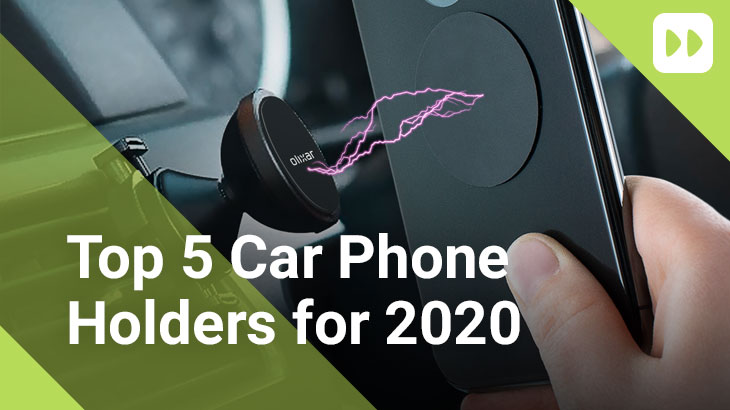
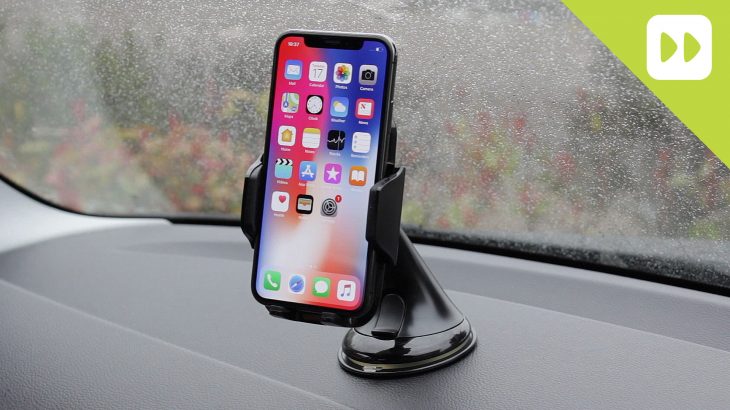
Brodit are the leading manufacturer of in car cradles, making a wide range of holders that are specific to your phone to make sure that it’s held securely in place in your car. You’ll notice from the product listings that there are two types available – Active and Passive, and that there are a couple of mounting options too. This quick guide will explain the difference between the different types of Brodit Holder.
Passive Holders:
Passive Holders are a standard straight forward holder for your phone. They are moulded to the shape of your handset and are secured to your car using the self adhesive pads or by screwing into your dashboard.
Active Holders:
Active Holders are the same as the Passive Holders, but include a car charger or have one built in. The charger type will vary by phone, but the holder will generally have a moulding to hold the charging tip in place. On most phones you can simply slide your phone into the cradle and the charger should connect straight away, others may need you to manually insert the charging tip into the phone (normally where the charging port is on the side).
Tilt Swivel:
Tilt swivel refers to the type of mounting plate fitted to the holder. Brodit holders without the Tilt Swivel will sit flat against the dashboard/ProClip and is not adjustable, so once its in place, its not moving. Tilt Swivel devices give you more flexibilty on how the phone is positioned in the car. They can be rotated through 360 degrees and can be adjusted in all directions to improve visibility and to reduce reflections from bright light. Tilt Swivel mounts are ideal if your phone has a landscape view and is used for Sat Nav & Media playback.
Mobile Phone holders get handled a lot and can become loose over time, especially if they are mounted with the adhesive pads. Although the adhesive pads are quite strong, we’d recommend using a screw fixing to reduce the risk of it falling off your dashboard. If you don’t want to screw into your dashboard, you can purchase a
Brodit ProClip.
ProClips:
Brodit ProClips are special brackets that are designed to attach to your dashboard without the need for drilling holes. They normally clip into your dashboard between fascia panels or sit at the side of your stereo. ProClips provide a flat solid surface for you to screw your car holder to and are available for almost all vehicles. We stock a wide range of Brodit ProClips, but if your vehicle isn’t listed, please request it and we’ll order one in for you.

Loading ...
Tags: active, brodit, car, charger, charging, cradle, fitting, holder, passive, phone,
No Comments
Wednesday, March 11th, 2009
Since Apple launched their original iPod back in October 2001, the range has grown and evolved. Although iPod’s look fairly similar, each one is individual, and has its own range of accessories. Here you can determine which iPod you have, and find out what accessories are available for it.
What does the “G” mean?
When Apple launched the early iPod’s, they weren’t given names like they are today. The original iPod was replaced by a newer model also called iPod. As the newer model had several advanced features over its predecessor, it was dubbed the new generation of iPod, this over time change to 2nd Generation, which in turn got shortened to 2G.
The number preceding the “G” just determines where that particular model sits in the range of iPods. Even now with the Nano iPod, we are seeing 2nd and 3rd Generation models. The original style of iPod is now called the iPod Classic, and no doubt as time goes on, more generations will follow. The only exception to this is the iPhone 3G, where the 3G refers to the technology within the phone, and not the generation of iPhone.
(more…)

Loading ...
Tags: accessories, apple, battery, Classic, Colour, i, iiPod, iphone, iPod, Mini, Nano, phone, Photo, release, screen, touch, undefined, USB, Video,
2 Comments
Thursday, September 18th, 2008
BlackBerry devices normally take a fair few knocks in their day to day use, and in order to look after yours and keep it working as hard as you do, a case is a worthwhile investment. Leading manufacturers such as Krusell, PDair, Piel Frama and BlackBerry themselves make cases specifically for the BlackBerry devices, but which case is right for you?
Genuine BlackBerry
Genuine BlackBerry cases are designed to compliment your BlackBerry, while keeping your phone as accessible as possible. BlackBerry are one of the only manufacturers who offer phone specific cases in a range of styles and colours – and the only manufacturer that offer silicone cases. Genuine BlackBerry cases range from Protective Skins to Executive Leather Pouches. BlackBerry Skins protect your device from knocks and scrapes, without adding any extra bulk to your phone while the leather cases add style to your BlackBerry and normally cover the whole device. Your BlackBerry can still be charged and synchronised with out having to be removed from the case thanks to cut outs in the case for chargers and data cables. The BlackBerry pouches are similar in design to the original pouch provided with the BlackBerry Curve. They protect the phone from everyday knocks and some some also feature the magnet that puts your BlackBerry into quiet mode when insterted into the case.
Piel Frama

The Piel Frama range of BlackBerry cases are hand made, with meticulous attention to detail. Every Piel Frama case is assembled by hand, to create designs that perfectly complement your BlackBerry. As with the Genuine BlackBerry cases, your BlackBerry can be charged and synchronised without having to be removed from the case thanks to cut outs in the leather. Each case has space for storing credit cards or business cards. All Piel Frama cases are a vertical flip design and have a removable belt clip.
PDair
PDair BlackBerry cases are Executive Leather cases that protect your phone and keep it looking stylish. PDair BlackBerry cases are available in a range of styles, including; Book Case, Sleeve Case and Flip Case. Most of the PDair BlackBerry cases have a magnetic sensor built in that activates the "In-Holster" profile settings. They have a secure belt clip that can be easily removed if not required and have cut outs in the leather to allow your BlackBerry to be charged or connected to your PC with out having to be taken out of the case.
Krusell
Krusell BlackBerry cases are designed for the everyday user. Krusell’s "cabriolet" design leaves the keyboard open, making typing much easier, and the open top allows for quick removal of your BlackBerry device. Krusell cases are also compatible with the Multidapt range of holders – a unique interchangeable clip stystem. Learn more about Multidapt.

Loading ...
Tags: 8100, 8110, 8300, 8310, 8320, 9000, blackberry, blackberry cases, blueberry, bold, case, cases, Colour, curve, holder, Krusell, Multidapt, pdair, pearl, phone, pouch,
3 Comments
Thursday, September 18th, 2008
Want to use less energy and get more battery life out of your mobile phone? Here are our top 5 tips on how to reduce your mobile phones carbon footprint.
Turn your phone off!
It may sound silly, but how many times do you turn your phone off when you go to bed at night? Chances are you’ve not had many phone calls in the middle of the night, so by turning your phone off when you go to bed, and back on again in the morning, you’re saving 8 hours a day of battery life and could extend your battery life by a few days.
Turn off Bluetooth.
Bluetooth only needs to be turned on when you need it – by leaving it turned on all day your phone is constantly looking for other Bluetooth devices and draining your battery.
Turn off GPRS, 3G & WiFi.
If you never use the internet on your mobile, you won’t notice any difference by turning GPRS and 3G off – other than having to charge your phone less! If you do use Internet on your phone through either 3G or WiFi, turn them on as and when you need them, other wise they’ll be consuming power searching for networks when there is no need.
Adjust the display.
Manufacturers normally set the screen to its brightest setting to make it look clearer. This only drains power, adjust the settings and dim the screen to a level that you can still see, but is no brighter than it needs to be. Change the screen saver settings too, set it to come on sooner – reducing the time the screen is lit up for.
Leave it alone!
We’re all guilty of it, we get bored, nervous, need to look busy, so we pick up our phones and start fiddling with them. We’re not doing anything on them, only draining the battery. Put it down and find something else to play with!

Loading ...
Thursday, September 18th, 2008
These days we’re all trying to reduce our carbon footprint. Turning things off when they’re not needed, getting more efficient cars, recycling waste, but what can you do to reduce the footprint of your mobile phone?
The one source of power that is all around us, completely free and has no damaging effects on the environment is the sun, and thanks to a new range of accessories, you can now harness the power of the sun to help reduce the power your mobile phone uses.
Solar Powered Bluetooth Car Kits
LG and Iqua have both released a Solar powered Bluetooth Car Kit.


The LG HFB-500 sits on the inside of your car windscreen and charges itself using energy from the sun. While its in sunlight it will charge constantly, and can provide upto 16 hours of talktime, and 1100 hours stand by time from a full charge! LG also provide a car charger, just in case the battery does run out, but as you’ll no doubt be leaving this in your windscreen all day, everyday you’ll probably never need it! If you have an LG handset, you can use the HFB-500 as an emergency charger and charge your phone from it.
The Iqua Vizor Sun is a slightly different concept and is designed to be mounted on your sunvisor. You’ll need to have your sunvisor down in order for it to charge, but its clear keypad makes answering calls easy. Talk time is even more impressive than the LG Handsfree, and it has unlimited standby times when in sunlight.

Solar Powered Bluetooth headset
Iqua are certainly leading the field with environmentally friendly mobile accessories – In addition to their Solar Powered Bluetooth Car Kit, they also offer the worlds first Solar Powered Bluetooth Headset – the Iqua Sun BH-603. Despite having a solar panel built in, the headset weighs just 14g and provides upto 9 hours of talktime in darkness, even more in daylight. As the Iqua Sun draws its energy directly from the sun, it gives you complete freedom from wires.

Solar Chargers:
These are a must have accessory for anyone with an MP3 player, Mobile Phone, Handheld games console, or any other gadget that can be charged using a USB Charging Cable. The Solar Chargers have an inbuilt battery that draws its power from the sun. A range of charging tips are included for most devices. Solar Chargers are ideal for trips away, days out or down on the beach!
Using the Sun to charge your mobile phone and accessories may not be the biggest change you can make, but its certainly a step in the right direction. To help you save more energy, read our post on How to extend your Mobile Phone’s battery life.

Loading ...
Tags: accessories, battery, Bluetooth, case, cases, charger, charging, headset, phone, power, release, solar,
No Comments
Tuesday, August 19th, 2008

As an 8310 owner one of the biggest difficulties I faced was getting a case for my phone. I’m not joking, I see a lot of cases listed in various sites but they all have 8300 in the name. Do all 8300 cases fit the 8310? Do only some cases fit? Is it just me??
So after hours (well actually minutes) of pain staking work, I can confirm the cases below not only fit, but where appropriate leave charging points accessible. So despite the names these will definitely work with the 8310.
PDair Pouch for the BlackBerry 8300 Curve
Genuine BlackBerry 8300 Curve Vinyl Pouch
Genuine BlackBerry 8300 Curve Skin Pouch

Loading ...
Thursday, August 7th, 2008

Whether you are a phone user or a gadget lover, one of the most annoying things about getting a new device is having to replace all of your chargers. For my current phone I’ve got a car charger, a spare mains charger at work and a USB charging cable that I carry around in my laptop bag. But what if I carried my iPod and PSP with me, or if my Bluetooth Headset takes a different charging connector to my phone – thats another charger I’d need to carry around with me! Thankfully PowerBloks make it easier to charge multiple devices with just one charger.
PowerBloks are simple adapters that convert any standard Mini USB cable into a USB charging cable, and can also be used to convert Mini USB Mains and Car chargers to work with your device. This is great news, as it completely removes the need to have a seperate charger for each device you own. I’m pretty sure that you will already have a spare Mini USB cable lying around at home that you can use to charge your phone, MP3 Player or games console – they even work on the new iPhone 3G. If you want to use this cable in the car or at work, just connect your cable to a USB Mains Adapter or USB Car Charger Adapter and you’ve got a fully functional charger that you can update as often as you like for a fraction of the cost!

When you’re in the car you can now use the same charger on your TomTom, your phone, your iPod and your Bluetooth Headset, just change the PowerBlok adapter to switch between devices.
PowerBloks are available now for Classic Nokia, Nokia 2mm, Sony Ericsson, Samsung, Sony PSP, iPod and iPhone, with other manufacturers due shortly. We’re looking at putting together some bundle packs on the tips – which ones do you think we should do? What other devices should we offer adapters for? Feel free to add your suggestions below!

Loading ...
Tags: charger, charging, ericsson, headset, iphone, iPod, Mini, Nokia, phone, powerblok, Sony, update, USB,
1 Comment
Wednesday, July 23rd, 2008

We just heard that Huawei, the company behind the ever popular USB Mobile Broadband Dongle and some of Vodafone’s own handsets, (710, 716 and 810) are set to announce the Huawei U5800 as the Vodafone 730. Details are sketchy, but the handset is thought to be a “WCDMA/GPRS/GSM Mobile Phone with Bluetooth.” The handset is expected to be a simple candybar design as with the current 700 series.
Also in the pipeline are a Vodafone 830 and Vodafone 625. The Vodafone 830 will support HSDPA/UMTS/GPRS/GSM and Bluetooth and is thought to be of a sliding design.
The Vodafone 625 (aka Huawei U1100)is a WCDMA/GPRS/GSM/EDGE Mobile Phone with Bluetooth. This phone can operate in virtually all countries, automatically switching between WCDMA 2100 and GSM/GPRS 900/1800/1900 networks.
Watch this space!

Loading ...
Tuesday, June 17th, 2008
Mobile Fun have put together a simple guide to help you to determine which type of Nokia Charger you need for your phone. This simple guide lets you know exactly which charger you will need and shows you all the different charging options available. Check out our full guide to Nokia Chargers.

Loading ...
Tuesday, June 17th, 2008
Everybody knows that a Nokia Charger is a general household item and can be found lying around in most homes. Great if you’re often out and about visiting friends or family and running out of power, but as the phones have become more advanced, Nokia have changed and improved their charging connections.
Classic Nokia Charger
This is the
original Nokia Charger connector, the one that everyone will have lying around at home. No longer used on any of their current handsets, this is a
3.5mm connection used on handsets from the original
Nokia 5110, right through to the
Nokia 6230i.
2mm Nokia Charger
This is the
current Nokia Charger, used on most of their handsets. With phones getting smaller in size, Nokia reduced the size of the charging pin down to 2mm. If you have the classic Nokia mains or car charger, you can use the
Nokia CA-44 Charging Adapter to
reduce the size of the charging tip from 3.5mm to 2mm.
Micro USB Nokia Charger
Starting to appear on the higher end Nokia phones, the
Micro USB Charger uses the same port as some
handsfree kits and
data cables (not at the same time!) These ports provide a
faster transfer rate, which is why they can normally be found on the latest
Multimedia handsets.
Charge Anywhere
Historically you could only ever get chargers to use at home or in the car. Now you can charge your phone just about anywhere. You can now use a
USB Charging Cable connected to a spare port on your
PC or Laptop, an
Emergency Charger that uses a standard
AA Battery, a
wind-up charger or even
Solar power.

Loading ...
Tags: battery, car, charger, charging, Classic, Nokia, phone, power, solar, USB,
No Comments